Skip to content
N8Ninja
EN — Choose language
Menu

Apple app for n8n

Your n8n workflows, in your pocket.

N8Ninja alerts you when an execution fails and shows you what happened, node by node. It turns on and triggers your workflows from your iPhone, iPad, Mac, Apple Watch or Apple TV, with n8n Cloud and self-hosted instances alike.

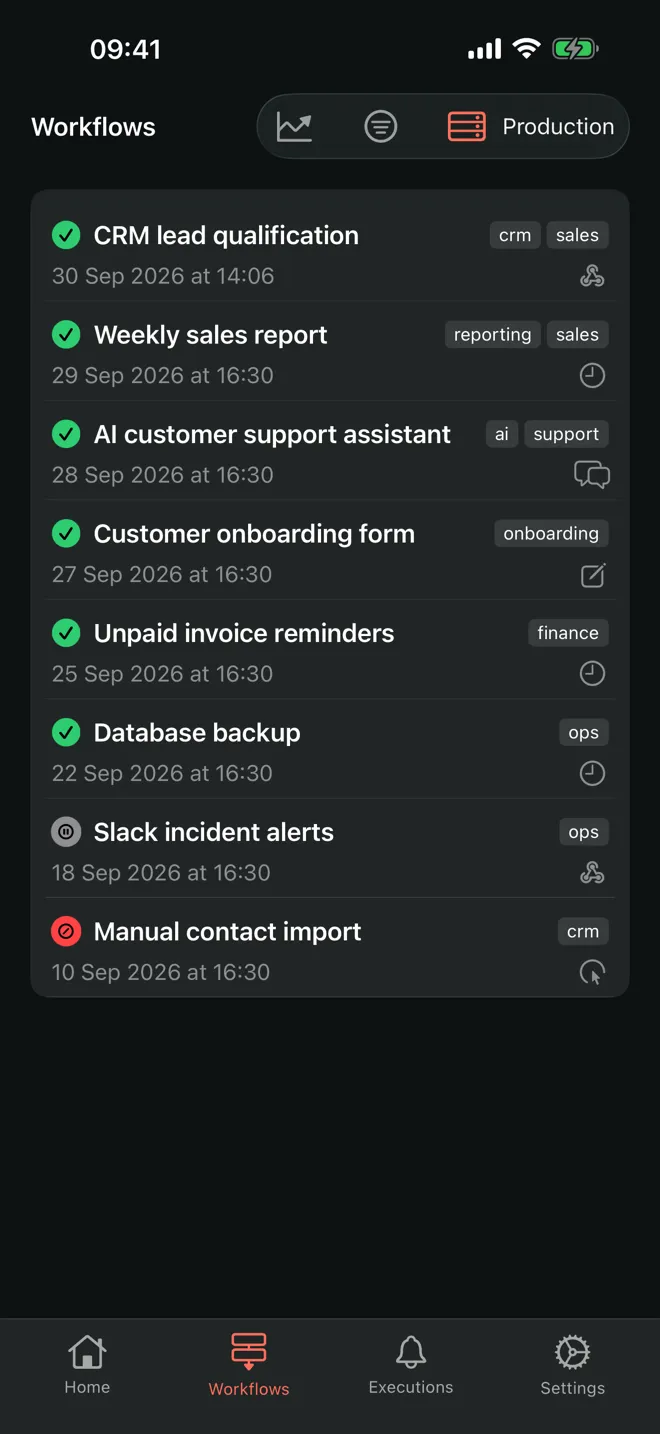
Workflow list in N8Ninja: status, tags, date and trigger of each automation

Features

All of n8n, without opening your laptop.

A workflow fails while you are on the move? N8Ninja shows you what happened and lets you act.

  • Alerts when a run fails

    N8Ninja checks your executions and sends a notification as soon as a workflow fails. On iPhone the check runs in the background; on Mac it runs while the app is open, even with every window closed.

    • Notification when an execution fails
    • Adjustable check frequency
    • One tap opens the executions
  • Every execution, node by node

    Open an execution to see its status, duration, failing node and stack trace. The logs list every node in order, with its input and output data as JSON.

    • Error card with stack trace
    • JSON input and output of every node
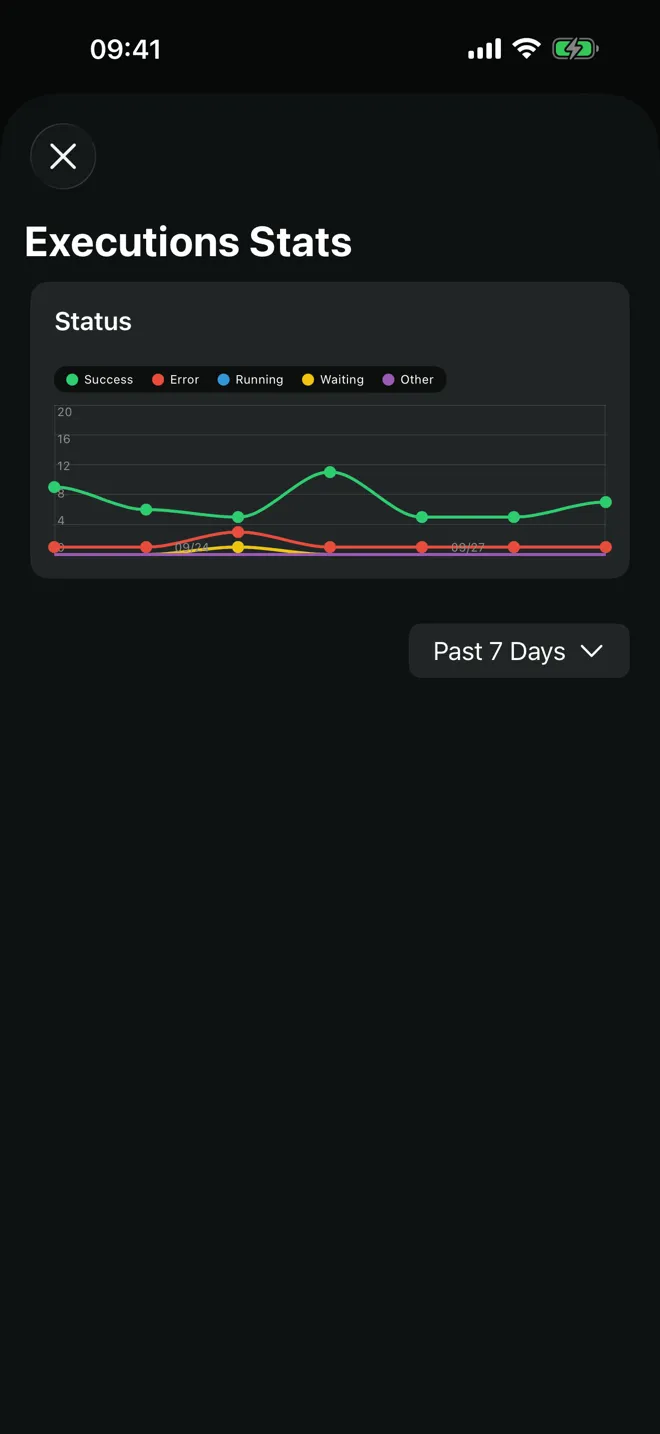
    • Charts over 24 hours, 7 days, 30 days
  • The health of every workflow

    See every workflow with its status and filter by state or tag. Each workflow shows the time since its last success and its last error, and its 5 latest executions.

    • One-tap activation
    • Successes and errors over 48 hours and 7 days
    • Filters by status and tag
  • Triggers in your pocket

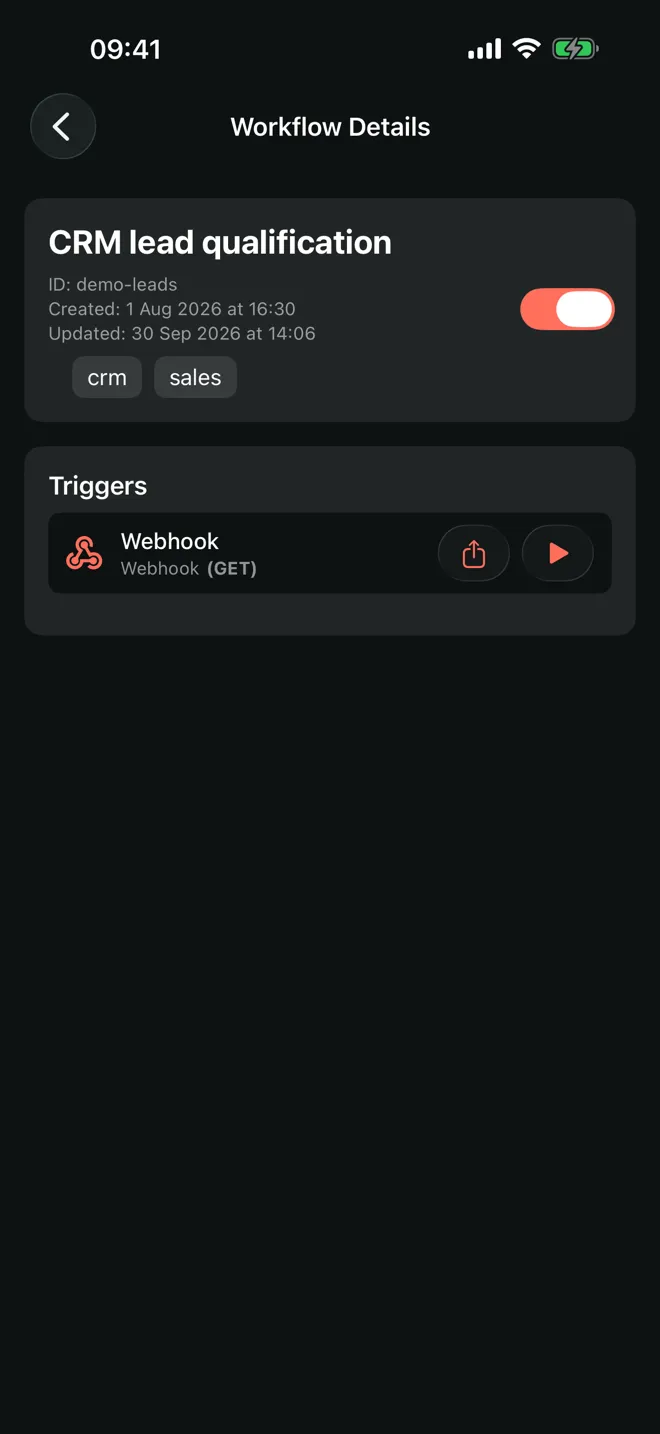
    Fire a webhook from your iPhone or Apple Watch, share its URL, fill in an n8n form or talk to a chat trigger without opening your laptop.

    • GET webhooks, from the Apple Watch too
    • Webhook URL sharing
    • Forms and chat triggers
  • Security audit

    N8Ninja runs the n8n security audit of your instance and estimates a risk level, from low to critical, for each finding. Each finding explains why it matters and what to do.

    • 5 categories, including credentials and nodes
    • Risk level estimated by N8Ninja
    • n8n versions with security fixes
  • All your n8n instances

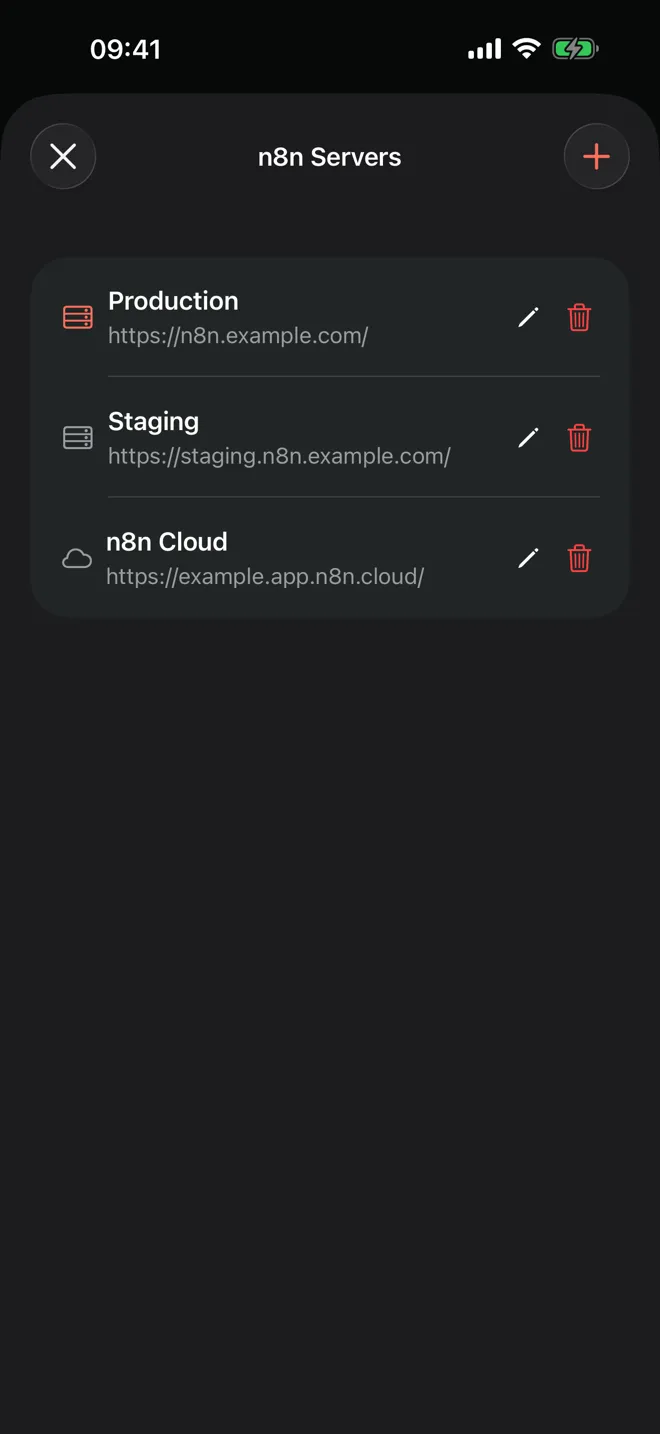
    N8Ninja connects to n8n Cloud and to self-hosted instances alike. Save production, staging and client servers, then switch between them in one tap.

    • n8n Cloud
    • Self-hosted instances
    • API keys in the device Keychain

At a glance

One app, the whole Apple ecosystem.

  • 4

    Apple platforms

    iOS and iPadOS, watchOS, macOS, tvOS.

  • 5

    languages

    French, English, German, Spanish, Dutch.

  • 0

    subscriptions

    A one-off $5.99 purchase on the App Store.

Screenshots

The app in pictures.

Screenshots of N8Ninja on iPhone, in dark mode.

  • Workflow list with status, tags and trigger
  • Execution statistics over 7 days
  • Workflow detail and its triggers
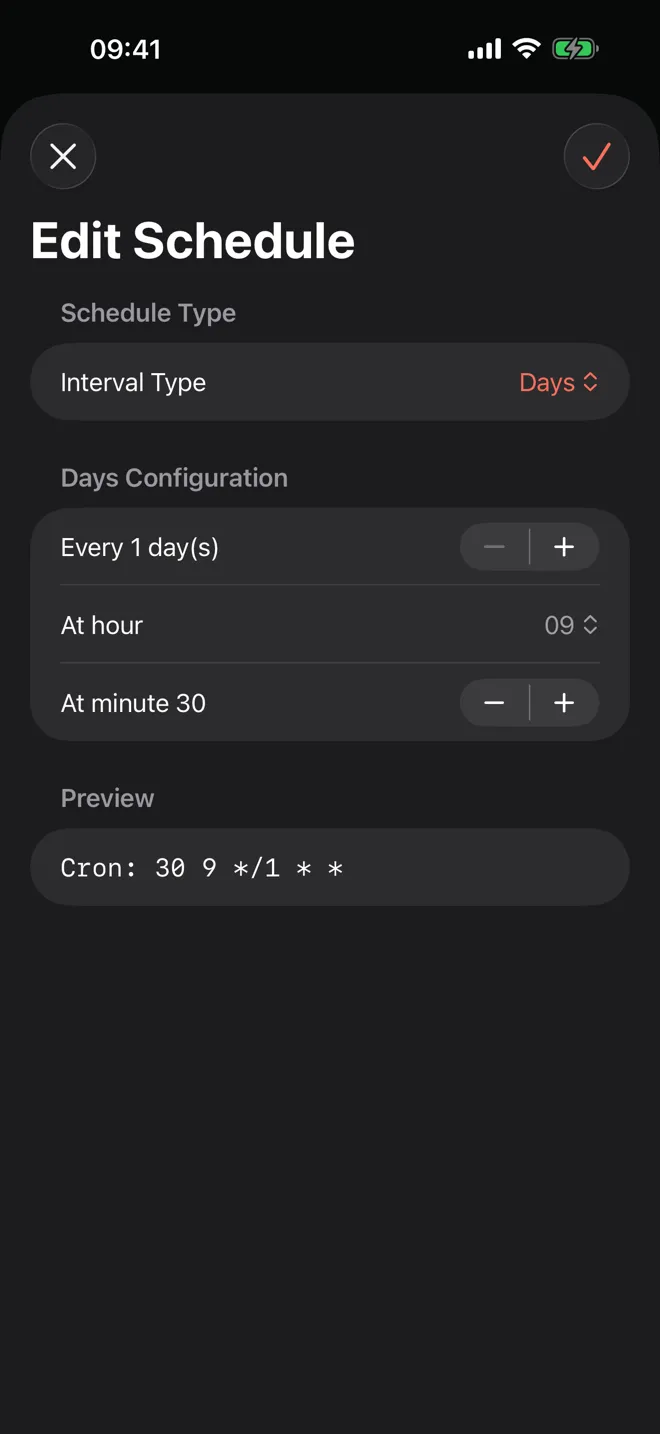
  • Schedule editing with cron preview
  • Managing several n8n servers

1 of 5

Pricing

One price, no subscription.

You pay for N8Ninja once on the App Store. Your n8n instances stay yours.

N8Ninja

$5.99 one-off App Store purchase

  • iPhone, iPad, Mac, Apple Watch and Apple TV
  • n8n Cloud and self-hosted instances
  • French, English, German, Spanish, Dutch
  • API keys in the device Keychain
Download on the App Store

FAQ

Frequently asked questions

What is N8Ninja?

N8Ninja is an iPhone, iPad, Mac, Apple Watch and Apple TV app to run your n8n workflows. It shows your workflows, their executions and logs, alerts you when an execution fails, and lets you turn workflows on and trigger them.

Where can I download N8Ninja?

N8Ninja is downloaded from Apple's App Store, for iPhone, iPad, Mac and Apple TV. The Apple Watch app comes with the iPhone app.

How much does N8Ninja cost?

N8Ninja costs $5.99 as a one-off purchase on the App Store. There is no subscription.

Does N8Ninja tell me when a workflow fails?

Yes, N8Ninja sends a notification when an execution fails on the selected server. On iPhone the check runs in the background, at the pace iOS allows; on Mac it runs while the app is open.

How do I connect my n8n instance to N8Ninja?

Enter your instance URL and an n8n API key in the app settings. You can save several servers and switch between them.

Does N8Ninja work with n8n Cloud and self-hosted instances?

Yes, N8Ninja works with n8n Cloud and with self-hosted n8n instances. It uses the n8n public API.

Are my n8n API keys safe?

Your API keys are stored in your device's Keychain and are never sent to third-party servers. The app talks directly to your n8n instance.

Who makes N8Ninja?

N8Ninja is designed and built by White Wood Tech (white-wood.tech), an AI-native tech and product studio based in Lille, France. White Wood Tech helps leaders design, build and run digital products with a team of AI agents.

Is N8Ninja open source?

No, N8Ninja is not open source. It is an independent app, not affiliated with n8n GmbH.

About n8n

n8n, the engine behind your automations.

n8n is a no-code/low-code workflow automation platform: it connects apps, APIs and databases in a visual editor, with JavaScript or Python code when you need it. N8Ninja is an independent app that connects to your n8n instance through its public API.

  • Visual no-code/low-code editor

    A workflow is a chain of connected nodes: trigger, API calls, conditions, code.

  • Cloud or self-hosted

    n8n Cloud, run by n8n GmbH, or an instance installed on your own server.

  • Source available

    n8n's code is public on GitHub, under a fair-code licence (Sustainable Use License).

The studio

Need help with n8n? Let's talk.

White Wood Tech, the no-code and AI agency behind N8Ninja, also helps companies with n8n: from the first automation to the instance in production.

Discover White Wood Tech
  • No-code workflow building

    Custom n8n automations, designed and built around your tools.

  • Hosting and maintenance of no-code tools

    Self-hosted n8n instances: installation, updates and monitoring.

  • Training

    Sessions so your teams can build and maintain their own automation workflows.

  • No-code automation audit

    A review of your existing workflows: reliability, security and costs.